Google+ Fundroid

Sunday, 2 September 2012

Will Windows 8 Affect the existing market ?


The day windows 8 was announced for the tablet market it felt that it hard some spark in it. However there were and are  skeptics who fell windows 8 will be an disappointment .The Initial verdict on windows 8  RT/PRO would be it  is good and has an potential at-least to match-up  with android if not to beat it in the tablet market and will continue to be a favorite in the computers and laptops with not much competition in those sections  .The UI is completely different from which Google and Apple have to offer ,with some interesting design called Metro , gestures and with the fact that the PRO version would offer an full desktop experience with the freedom to install apps as you do on your desktop  it might really attract some huge response .However the PRO version will only be available for x86 processor that means it will be priced at an higher side and will be  mostly used  in  devices that can be used both as tablets and laptops .The RT version will be used for tablets and will only support ARM processors and will not give you the complete desktop experience however it will come pre installed with Microsoft office RT . Windows 8 Phone on the other hand has not gone through any drastic changes except with some UI changes and additional tweaks ,it will most probably not work out for Microsoft and Android may still dominate in the mobile market.With number devices launched at IFA it only seems to be start of  a battle whose outcome will be seen   in the next 3 months with the launch of  various Android products and Not to leave the the iPad mini ,the iPhone 5 as-well as the launch of the next generation Kindle fire .The next 3 months are Really Going to give us the  best technology related launches ever and will also decide the faith of windows 8........

Saturday, 18 August 2012

Weather & Clock Widgets For Your Android Phones

Weather Widgets 

First on the list is an Weather app called as Weather Flow  

  •  Has a sleek design with minimal layout
  •  Has widgets mainly in three colours black green and white 
  •  Widget Dimensions 4x1 


PlayStore  : Link
Mirror : Link

Then comes RecastWeather 
  • Great customization options
  • Has many templates to chose from
  • Is still in Beta stage but is nearing completion 
  • Widget Dimensions  1x1 , 1x4 , 2x2 ,3x2 , 4x1 & 4x2  

PlayStore : Link
Mirror : Link


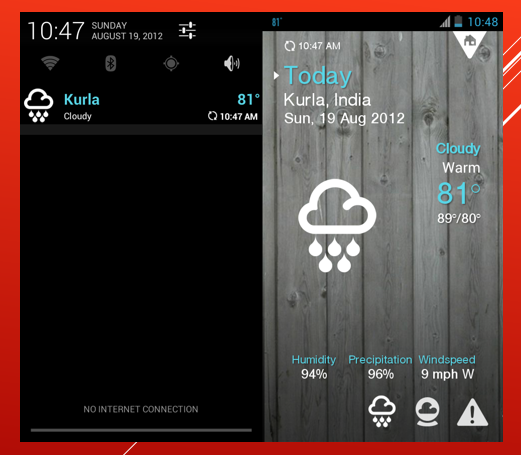
Finally 1Weather 

  • Initially we have to enter the app and set it up 
  • Weather Widget Appears in the Status Bar

PlayStore: Link

Clock Widget  


MIUI Evolution Reload Clock 
  • Gives you exact replica of the original miui rom clock 
  • widget Available in many colours 
  • Indicates more then time
  • Widget Dimension 4x2 

PlayStore: Link


Friday, 10 August 2012

MIUI (ICS)For Motorola DEFY & DEFY+

After JellyBean port for the Defy coming  close to stable i decided to check some other Rom's that  where Not Jellybean but ICS Rom's and decided to take look at the unofficial Miui Rom(ICS) which when i had tried before when it was just in beta stage .Now after the Rom has gone through some improvements it has undergone drastic changes the UI  has become a lot more faster all thanks to epp and Quarx the developers who build the base ICS Rom on which Miui is Running .The frequent crashes that where seen before have become very less .However the MIUI UI would lead you sometimes frustrated because the Systems Apps Like phone and messages don't open up Quickly as it should ,the main reason for it may be because these are not always in memory .Still improvements have to be done , all thanks to Wajk who build the unofficial MIUI  build for the Defy .I had flashed the 2.8.2 (ics) Rom By Wajk .However there is an  MIUI Rom on MIUI's Chinese forum named MIUI v4 (2.8.10) which is considered to have highest number of changes ,I will Flash that Rom and let you Know soon.......


MIUI For Motorola Defy & Defy + :  v2.8.2 (defy & Defy+) & v.2.8.10(defy & Defy+)
Links to the things used in the above screenshots:-
(Can be used on any MIUI rom for any phone)
Installation method for Theme,Icon and Lockscreen: download the file and move it to your MIUI/Theme folde and then open the theme editor and select the theme
Theme
Icons
Locksreen(For more Lock-screens go to the following link: MIUI Lockscreens )
Wallpaper