Google+ Fundroid: motorola defy
Showing posts with label motorola defy. Show all posts

Thursday, 15 November 2012

Android 4.2 for defy/defy+ is here !!!

Motorola defy gets android 4.2 .An amazing fast development at the xda forums has again made the Defy one of the first devices to get an Android 4.2 port  ,this time it is an AOSP build rather then CynogenMod .This build again has been port by an well known developer at the xda's Defy section ie "Quarx".
Here is the list things what works and what doesn't:-

Not working (so far):
Radio
SD Card
Button backlight
Camera
Working (so far):
WiFi (although signal is weak)
Display
Charging via USB
Demo is extremely fast.
Faster than 4.1.2


However quarx has replied in an thread stating the following in response to the things that are not working so far
" Demo build is uploaded for everyone.
Android 4.2 has new libc/linker, which breaks compatibility with old moto binaries. Need some time to fix it "..

Defy android 4.2 jellybean download link:- DefyAndroid4.2


Friday, 12 October 2012

Motorola Defy and Defy+ gets an CusTom KerNel

This week the  Developer who makes are Motorola Defy feel as if it is  an new device i.e Quarx has released  an custom kernel as an part of Cyanogenmod 10 itself .The most interesting thing is that he has managed to load an custom kernel even without unlocking the boot-loader ,this makes the defy even harder to brick
as compared to  other devices such as HTC and Sony which can get bricked much easier because their blootloader's have to unlocked to load an custom kernel. The break through came with the help of an help of  an developer for the Motorola milestone2 who goes by the name "czechop".The custom kernel is preety fast however initially when it boots its laggy however after a little while all goes back to normal .The latest build as released by "Quarx" has been compiled with linaro 4.5 which is an custom kernel developed by the Linaro team which claims to make android even much faster more information about linaro can be found at www.linaro.org .Coming to the custom kernel it is just in its initial stage and lot has to be done , if your just an beginner in the world of android development i suggest you just wait until an stable kernel is released as you can fall in to an array of problems if not flashed properly.Future suggestions given by various members at xda include OTG cable support , fm transmitter capability etc..For an two year old device this is a lot of development .
Xda CyanogenMod 10 with custom kernel link  
Custom Kernel link

Friday, 10 August 2012

MIUI (ICS)For Motorola DEFY & DEFY+

After JellyBean port for the Defy coming  close to stable i decided to check some other Rom's that  where Not Jellybean but ICS Rom's and decided to take look at the unofficial Miui Rom(ICS) which when i had tried before when it was just in beta stage .Now after the Rom has gone through some improvements it has undergone drastic changes the UI  has become a lot more faster all thanks to epp and Quarx the developers who build the base ICS Rom on which Miui is Running .The frequent crashes that where seen before have become very less .However the MIUI UI would lead you sometimes frustrated because the Systems Apps Like phone and messages don't open up Quickly as it should ,the main reason for it may be because these are not always in memory .Still improvements have to be done , all thanks to Wajk who build the unofficial MIUI  build for the Defy .I had flashed the 2.8.2 (ics) Rom By Wajk .However there is an  MIUI Rom on MIUI's Chinese forum named MIUI v4 (2.8.10) which is considered to have highest number of changes ,I will Flash that Rom and let you Know soon.......


MIUI For Motorola Defy & Defy + :  v2.8.2 (defy & Defy+) & v.2.8.10(defy & Defy+)
Links to the things used in the above screenshots:-
(Can be used on any MIUI rom for any phone)
Installation method for Theme,Icon and Lockscreen: download the file and move it to your MIUI/Theme folde and then open the theme editor and select the theme
Theme
Icons
Locksreen(For more Lock-screens go to the following link: MIUI Lockscreens )
Wallpaper

Saturday, 28 July 2012

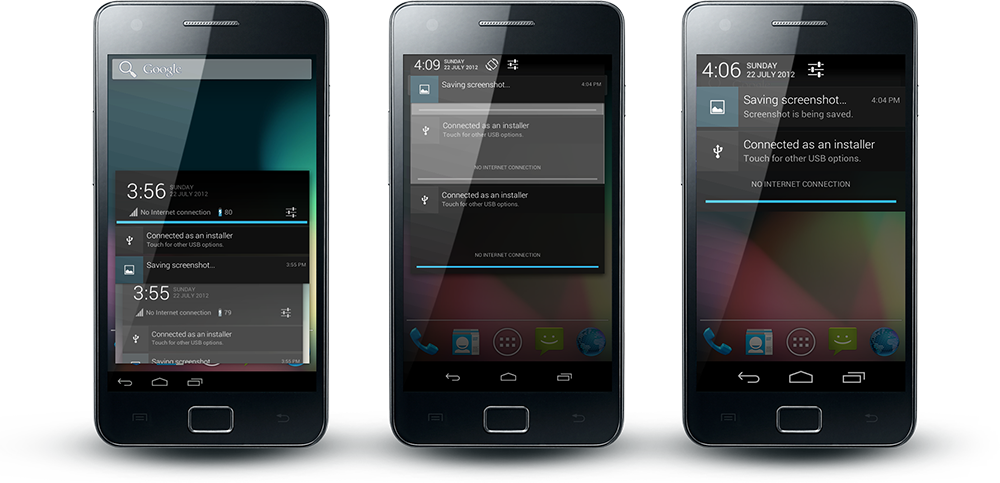
ParanoidAndroid --An mobile/tablet Hybrid Rom

The Transition from gingerbread to Icream Sandwitch had taken a considerably long period of time but however  Icream Sandwitch to JellyBean is taking place fast with most of the devices that had ICS getting JB   and more new ones added daily .But there are some developers who think giving stock JB is not enough ,they have come up with an modded rom that they call ParanoidAndroid which is an hybrid rom merging  the goodness  of tablets and mobiles together.This rom has been around for a long period of time however with them starting to release JB based roms the experience is a lot more refined and smooth.There are only some Devices that have got the preview version of  ParanoidAndroid -JB while others are still on ICS based roms,but is still worth giving a try ....


Currently ParanoidAndroid -JB Supported Devices

Motorola Defy        -JB
Samsung galaxy s2 - JB
Samsung galaxy s3  -JB
Samsung Nexus S   -JB
Samsung galaxy s    -JB
HTC Hd 2              -JB


For List of ParanoidAndroid -ICS/JB supported phones visit their official website:-
ParanoidAndroid _Website


For downloading these Rom's go to their respective Android development section in XdaForums


Saturday, 12 November 2011

Ice Cream Sandwich Home Screen for CYANOGENMOD 7

Requirements: cm7 and launcher pro

Note:HDPI devices will show all features however since i have used ADW launcher instead of Launcher pro the dock bar had the menu button missing due to which i use a standard cm 7 dock bar

Theme with Launcher pro


Theme with ADW Launcher


Applications used:

Ice Cream Sandwich theme for CM7(HDPI devices) (All ICS icons are also included in the theme)
Simi Clock widgetfor the top widget on homescreen
Wallpaper is Cosmosition

cyanogenMod 7 installation guide (motorla defy ) and other android phones

Steps for installing cyanogen 7 on defy             note: other android phones can follow same steps except that instead of defy recovery you will have to get your on phones recovery 
1)Backup all apps using titanium backup from the market
2)you will have to root your phone, follow these Instructions
3)Download 2nd init from android market. install the 2nd init recovery. It will ask the superuser permission Accept it
4)Install latest version of Clockworkmod rom manager app from market
5)download defy recovery from here and install it
6)now enter rom manager and click reboot into recovery
7)now enter backup and restore and select backup,now let the process complete.now your originalor stock rom has been backup if u want to go back to the stock rom
8)now copy zip files of cyanogen 7 mod and google apps to a folder on the sd cad  :download links CM7 & Google apps
9)now got to rom manager and click reboot into recovey and select wipe data/factory reset and then select wipe cache partition
10)now select install zip from sd card,then go to the cm 7 zip file and select and install it ,then in a similar way install google apps
11)then reboot normally ,cyanogen 7 has now been installed.

Sunday, 16 October 2011

MOTOROLA DEFY -THE UNDERDOG WHICH HAS GREAT POTENTIAL


MOTOROLA DEFY
This phones is a high-end phone at the price of a mid range phone.With a 800mhz processor,3.7 inch screen,a great display,512 mb ram,2 gb internal memory and android 2.2 you might think what's great in this phone,now here things become more interesting the phone is life proof ( scratch ,water and dust resistant )with the help of rooting and softwares this phone can be overclocked to 1.2 ghz on which the phone is very stable and the processor becomes snappy and scrolling becomes smooth without any lag .Games such as nfs shift,asphalt 6 and any HD games play without any lag .This phones has been may times compared to the I phone 3gs .This phone can easily be updated to gingerbread android 2.3.7 buy using  custom roms such as the cm7,MIUI etc . This phone has just started to get cm9 alfa (i cream-sandwich )An other thing is that this phone with the help of some software can record 720 p videos too.


Motorola has been loosing market share in India and it as  been neglected,but  i am proud to tell i am a defy owner i strongly suggest this phone to users though you may argue Samsung , htc make better phones .

MOTOROLA DEFY UNDERWATER SHOOTING VIDEO:

http://www.youtube.com/watch?v=FnarI4TH8iw

MOTOROLA DEFY REVIEW VIDEO:

http://www.youtube.com/watch?v=ob7bXkuPxrc


Saturday, 1 October 2011

MOTOROLA DEFY ROOTING

I known it may be hard for some people to root their phones because of issues such as warranty ,no knowlege etc  on the other hand there are people who have no issuses  in compromising these factors

ROOTING HAS VARIOUS ADVANTAGES SUCH AS OVERCLOCKING ,ROOT LEVEL ENTRY,USE OF ADDITIONAL APPS,USE OF CUSTOM ROMS ETC..

YOU CAN EVEN UN-ROOT YOUR PHONE WHENEVER NECESSARY

I OWN A MOTOROLA DEFY AND TRUST ME ITS ONE OF THOSE PHONES WHICH HAS THE POTENTIAL TO TAKE DOWN THOSE HIGH END PHONES ONCE ROOTED

                                            DO THIS AT YOUR OWN RISK
                     BUT TRUST ME MOTOROLA DEFY IS HARD TO BRICK

STEPS:1)DOWNLOAD AND INSTALL MOTOROLA DEVICE DRIVERS:WINDOWS 32 BIT AND   WINDOWS 64BIT
2)DOWNLOAD SUPER ONE CLICK :DOWNLOAD LINK
3)CONNECT PHONE TO PC USING USB AND THEN ON YOU  PHONE  GOT TO>SETTINGS>APPLICATIONS>Development and enable USB Debugging.
4)EXTRA THE FILES IN THE SUPER ONE CLICK FOLDER AND AND RUN SUPER ONE CLICK
5)NOW CLICK ROOT AND WAIT FOR SOMETIME TILL THE PROCESS IS DONE